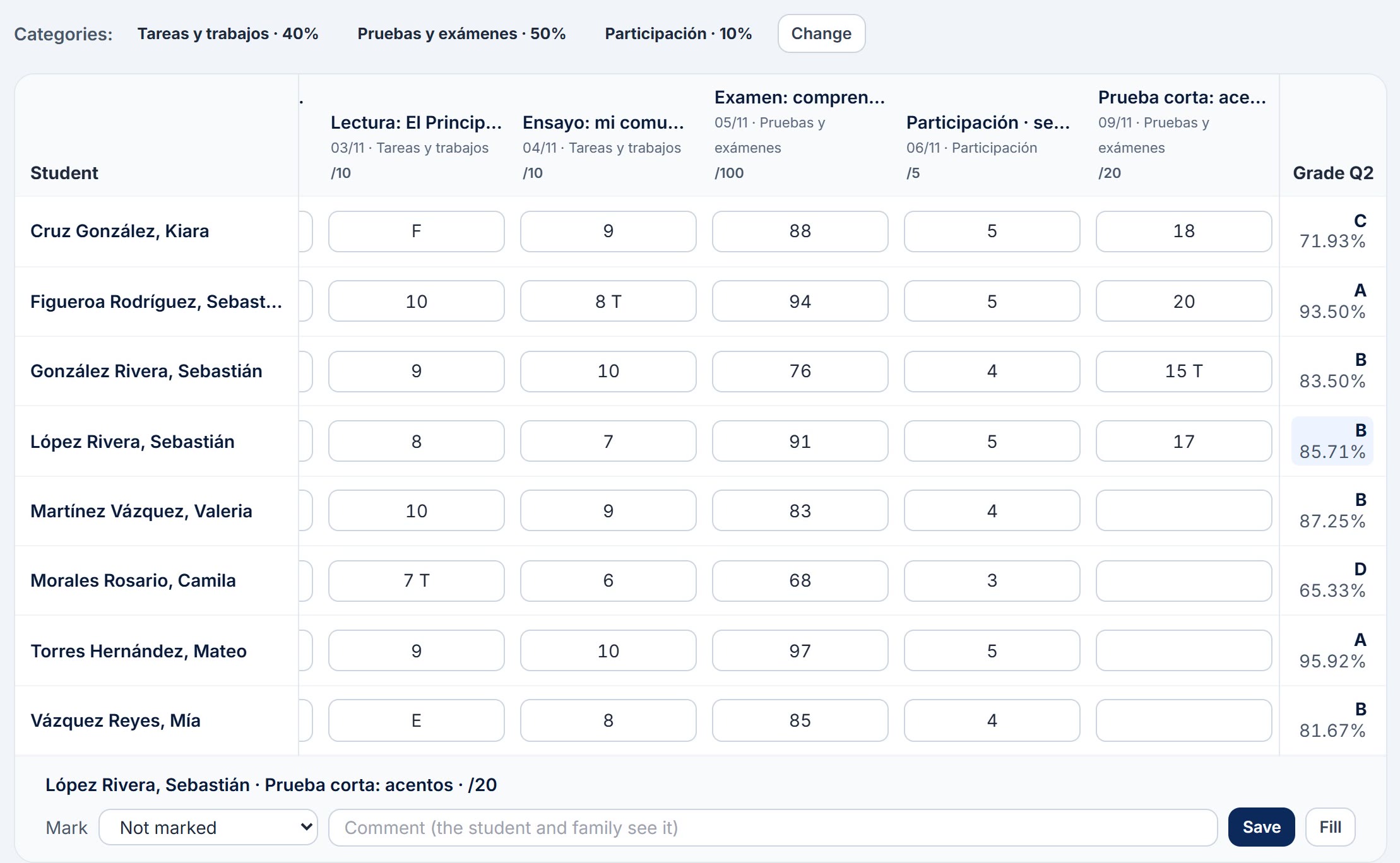
How is each class grade calculated? By the weight of each category (by default: homework and assignments 40%, quizzes and tests 50%, participation 10%) or by total points, as your school decides. The semester averages its quarters with the semester exam, and the year averages the semesters.
Do families see grades too early? They see each assignment from the date the teacher picks. After the quarter's closing date, they see grades as they stood at the close until the school publishes the quarter.
Can we bring grades in from Excel? Yes. In the gradebook you paste a column copied from Excel and each line goes to the next student.
Does it work for elementary, middle and high school? Yes. SIEDM organizes the school into Elementary (1st to 4th), Middle (5th to 8th) and High School (9th to 12th), and each school has its own conduct settings, letters and levels.
Can families apply for admission online? Yes. Your school opens the application period with its dates and grades and shares the form's address. The family fills it in without creating an account, uploads the documents and gets a link to follow the application through to the decision.
Do we have to enter everything by hand? No. Teachers, subjects, students and assignments are imported from Excel or CSV with templates, just as Excel saves the files.
How do teachers sign in? With the school's Microsoft 365 account, or with a password and two-factor authentication. They can also use passkeys: fingerprint, Face ID or Windows Hello.
What if a teacher misses the deadline? When the deadline passes, the quarter becomes read-only for them. The Administration can give them an extension with a date and a reason, and it all goes into the audit log.
What happens at the end of the year? The next year is prepared, promotion is set up (promoted, repeats, graduates or withdrawn) and at the close each student's results are frozen. The history of all their years stays in their file.
Who sees Counseling's notes? Only Counseling. Teachers refer students, but counseling case files are confidential.
Where is our data kept? Each school has its own installation and its own database, with daily encrypted backups. Sensitive data is stored encrypted.
Do families have to install anything? No. The portal opens in the phone's browser and can be added to the home screen to receive notifications.
Can we use the school's colors? Yes. You pick the school's palette (navy and gold, red, green, burgundy and others, all with good contrast) and your crest appears on the reports.
Are there guides for the staff? Yes, one guide for each role with screenshots of every screen. We walk you through them in the demo.
How much does it cost? It depends on the number of students and the modules you turn on. Write to us and we'll send a proposal for your school.